How to Use Event Management Software: Full Setup Tutorial
Date : Dec 10, 2025
All-in-One Event Management Software: A Complete Step-by-Step Guide
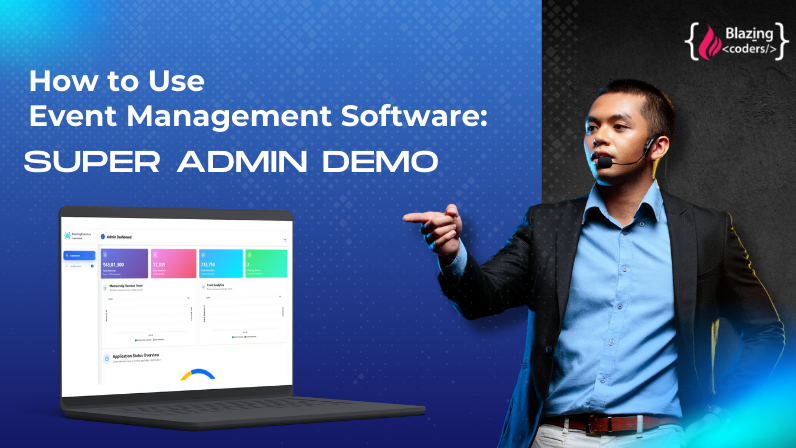
Are you planning events and need one powerful platform to manage everything from registrations to reports? This video walks you through the complete setup of an All-in-One Event Management Software developed by Blazingcoders, your trusted partner in custom event technology solutions.
In this tutorial, you’ll learn how the software simplifies planning, organizing, and executing events—whether it’s a conference, workshop, expo, or corporate gathering.
Event Setup & Dashboard Overview
- How to create a new event
- Setting event title, date, venue, organizer details
- Choosing event type (online, hybrid, offline)
Dynamic Forms Creation
- How to build custom registration forms
- Adding attendee information fields
- Form validations, rules & conditional logic
Ticketing & Registration Setup
- Creating ticket categories (Early Bird, VIP, General)
- Price setup, currency selection, taxes & discounts
- Setting attendee limits and seat availability
- Enabling online payments
Event Website / Landing Page Builder
- Adding banners, speakers, schedule & venue map
- Customizing branding (logo, colors, theme)
- Publishing the event page in one click
Email & Notification Automation
- Sending registration confirmations
- Automated reminders before the event
- Staff notifications, alerts & announcements
Attendee Management
- Viewing registrants in dashboard
- Import/export attendee list
- Assigning badges, QR codes & check-in options
Check-In & On-Site Management
- QR code scan check-in using mobile app
- Badge printing
- Real-time attendee tracking
Payment & Finance Tracking
- Payment gateway integration
- Viewing paid/pending transactions
- Refunds, receipts & financial reports
Post-Event Tools
- Feedback forms
- Post-event emails
- Data export for future events
FAQ
1. What is an All-in-One Event Management Software?
An All-in-One Event Management Software is a complete platform that helps you create, manage, promote, and track events from start to finish. It includes tools for registration, ticketing, payments, attendee management, check-in, analytics, and more.
2. Why should I use Blazingcoders’ Event Management Software?
Blazingcoders provides a fully customizable, scalable, and user-friendly event platform with features like dynamic forms, automated emails, QR check-in, secure payments, and real-time analytics—perfect for businesses, institutions, and agencies.
3. Can I create different ticket categories for my event?
Yes! You can create multiple ticket types such as Early Bird, VIP, General, Free Entry, and more. Blazingcoders’ software supports pricing, discounts, taxes, and attendee limits for each ticket.
4. Does the software allow custom registration forms?
Absolutely. With Blazingcoders’ dynamic form builder, you can add questions, attendee fields, dropdowns, file uploads, and conditional logic to collect accurate event data.
5. How does attendee check-in work?
The platform offers QR code–based check-in. Attendees receive a unique QR code via email, and event staff can scan it using a mobile device for fast, real-time entry tracking.
6. Can I build a website or landing page for my event?
Yes. Blazingcoders’ software includes an easy drag-and-drop event website builder where you can add banners, schedule, speakers, gallery, venue map, and more.
7. Is it suitable for all types of events?
Yes. Whether you are running conferences, exhibitions, workshops, online webinars, or corporate gatherings, Blazingcoders’ event software supports all event types.
8. How do I get started with Blazingcoders’ Event Management Software?
Simply contact us with your event requirements. Our team will guide you through setup, customization, and deployment so you can launch your event quickly.
From Idea to Launch – We’ve Got You!
Get Your FREE Business Plan.
 (1).mp4)